Proxmox Security: Patch Critical CVEs Without VM Downtime
The dashboard said healthy. Every node green, all guests running, backups finishing on schedule. That was the moment I learned to distrust green.
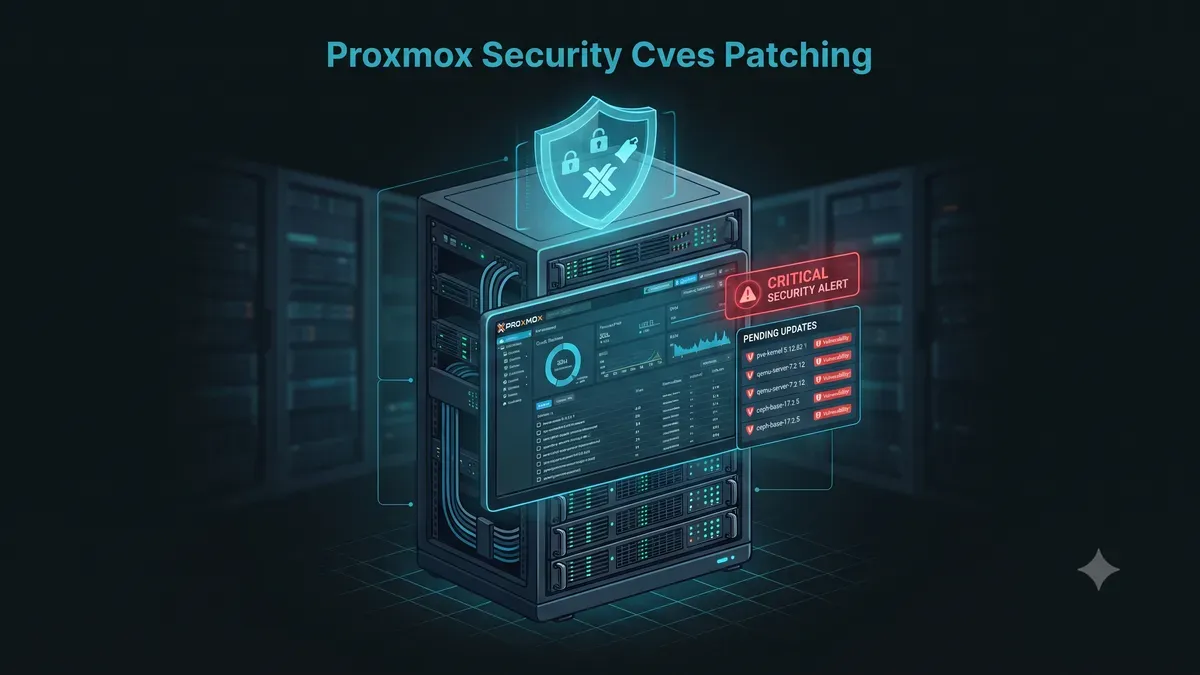
A client brought me in to review a Proxmox cluster they had inherited from a previous administrator. The cluster ran Proxmox VE 7.4, and the update button had not been pressed in eleven months. A quick scan showed why that mattered. A reflected XSS with a published proof of concept, present since before 7.2-3. A two-factor bypass that lets an authenticated user escalate privileges. Dozens of inherited Debian package vulnerabilities on top.
None of it showed up on the dashboard. Proxmox does not nag you the way a cloud provider does. It waits for you to ask.
This guide covers the CVEs that have actually hit Proxmox VE, how to check your own exposure, and the patching workflow I use so a security update never turns into a weekend incident.
Why a hypervisor CVE hits differently
A vulnerability in a guest application is bad. A vulnerability in the hypervisor is a different category entirely. One host, every guest, all shared storage, and the backup repository. Compromise the hypervisor and you do not break into one server, you break into the entire estate at once.
That is why ransomware operators have been seen targeting hypervisor management panels specifically. The payoff is disproportionate. Instead of encrypting one webserver, an attacker who owns the hypervisor can encrypt every virtual machine, delete the backups, and hold the whole company for ransom. Multiple incident response write-ups in recent years describe exactly that path, initial access through an exposed or unpatched hypervisor admin interface.
Proxmox is not uniquely vulnerable. But it is popular, it is often self-managed, and a large share of installs run without a support contract. That combination makes it an attractive target for automated scanning.
Real Proxmox CVEs you should know
These are the ones I keep in mind when reviewing a cluster. All of them are real, published, and confirmed in CVE databases.
| CVE | Component | Impact | Fixed in |
|---|---|---|---|
| CVE-2022-31358 | pve-http-server, web UI | Reflected XSS, CVSS 9.0 critical, PoC published | PVE 7.2-3 |
| CVE-2023-43320 | TOTP two-factor | 2FA bypass, privilege escalation by remote authenticated attacker | 8.0.x patch (verify in advisory thread) |
| CVE-2025-57538 | Datacenter config, web UI | Stored XSS in HTTP Proxy field, CVSS 5.4 | PVE 8.4.x |
| CVE-2025-57539 | Datacenter config, web UI | Stored XSS in U2F Origin field, CVSS 5.4 | PVE 8.4.x |
| CVE-2025-57540 | Datacenter config, web UI | Stored XSS in WebAuthn field, CVSS 5.4 | PVE 8.4.x |
Two patterns stand out. The web interface keeps appearing, which is why restricting access to port 8006 matters so much. And the 2023 TOTP bypass is a reminder that two-factor authentication is a control, not a guarantee. It slows attackers down. It does not stop a software bug.
The CVE-2022-31358 story is the one I tell clients. Reflected XSS in the management web UI, rated critical, with a published exploit, sitting unpatched on servers that were otherwise firewalled. The firewall stopped the brute force, then let the exploit sail through on a legitimately served page.
Most PVE advisories are Debian underneath
Here is the part new Proxmox admins miss. Proxmox VE is a thin management layer on top of Debian. A large share of the security updates you apply are inherited vulnerabilities in the kernel, OpenSSL, QEMU, or Ceph, packaged and shipped through the same update channel.
That changes how you should think about patching. You are not maintaining one piece of software. You are maintaining a Debian server with a hypervisor on top, and the update discipline of the first is the security of the second.
The official Proxmox security advisory thread, where every announced CVE is tracked with its fix, lives on the Proxmox forum. Bookmark it. Reading it once a week takes two minutes and keeps you ahead of most people who run this software.
Check your Proxmox vulnerability exposure
Before patching anything, know your starting point. Three commands give you the full picture.
pveversionThe first line shows the Proxmox VE version, for example pve-manager/8.2/xxxx. The second command lists every package version.
pveversion -vCompare the output against the fixed versions in the advisory thread. If you run 7.4 and the advisory says fixed in 7.2-3, you are exposed. Version numbers do not climb on their own.
Then check which repositories are configured.
grep -r . /etc/apt/sources.list.d/ /etc/apt/sources.listYou will see one of two things. A pve-enterprise entry, which needs a subscription key, or a pve-no-subscription entry, which does not. More on that choice below.
Patch safely, step by step
Security updates are not the scary part. Unplanned ones are. A little preparation turns the whole thing into a boring routine.
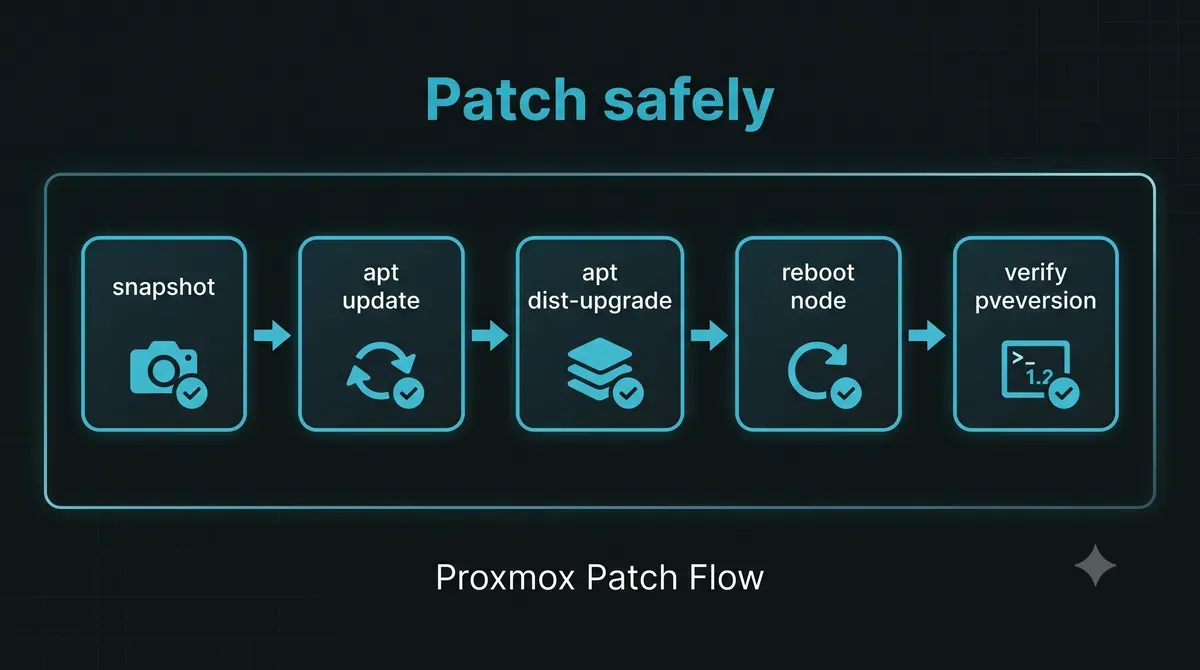
Step 1: snapshot first. Take a snapshot of every VM and container before touching the host, or at minimum verify your last backup restores. The snapshot is your rollback path if a kernel update misbehaves.
Step 2: refresh the package list.
apt updateStep 3: upgrade the host.
apt dist-upgradeKernel updates are included. Proxmox keeps the previous kernel available, so a broken boot can fall back at the bootloader.
Step 4: reboot the node. Proxmox recommends a reboot after kernel and qemu updates so the node runs the exact versions you tested. In a cluster, reboot one node at a time so guests fail over and nothing goes dark.
Step 5: verify.
pveversionConfirm the new version and spot-check that every guest came back and the cluster reports healthy.
The web interface does the same job. Datacenter → Updates → Refresh, then Upgrade. The button exists precisely because Proxmox wants updates to be routine.
For a major version jump, for example 7 to 8, Proxmox ships a dedicated helper.
pveupgradeIt walks through the prerequisites and stops you before you do something irreversible. Read it, do not fight it.
The no-subscription reality
Proxmox’s default repository is the enterprise one, and it refuses to serve updates without a subscription key. For many small businesses and homelabs, that means zero security updates until someone figures out the repository situation. I have seen clusters running 7.x in 2026 purely because nobody realized updates were silently blocked.
The fix is a two-line repository change. Remove or comment the enterprise line, then add the no-subscription repository.
# /etc/apt/sources.list.d/pve-no-subscription.list
deb http://download.proxmox.com/debian/pve bookworm pve-no-subscription
Then apt update and the pending updates appear. The trade-off is honest: no enterprise support, and a nagging banner in the web UI. For production workloads that justify the cost, the subscription buys you the repository plus direct support. For everything else, the no-subscription repo is dramatically better than running unpatched.
Patching is not enough
Updates close known holes. They do nothing about the ones nobody has found yet, and they do nothing about configuration. The clusters that survive are the ones that layer controls.
The biggest win is network separation. If the management interface is not reachable from guest networks, a guest compromise cannot reach the hypervisor in the first place. I broke down the full internal attack scenario, a compromised VM brute forcing the Proxmox host, in my Proxmox VM attack case study.
The rest of the stack:
- Enable
pve-firewallwith a drop-by-default policy and allowlist only your admin IPs for ports 8006 and 22. - Keep guests on dedicated VLANs, never on the management bridge.
- Enable two-factor on every account, and remember the TOTP bypass above when you audit who has access.
- Store backups on a separate, isolated repository with immutable snapshots. Ransomware that reaches the hypervisor should never reach the backups too. See our runbook on Proxmox Backup Server hardening and ransomware defense to enforce token isolation and append-only datastores.
- Watch the box like any other server. The Linux habits that keep a normal host safe, SSH keys, firewalls, user auditing, are the same ones your hypervisor needs. They are collected in my basic Linux for system administrators guide, with the deeper hardening work in Linux server hardening best practices.
The monthly ritual
Here is the exact routine I run on every Proxmox deployment I manage. It takes fifteen minutes a month.
- Read the Proxmox security advisory thread.
- Run
pveversionon every node and compare. - Take snapshots or verify backups. Understanding storage tiering ensures your snapshots do not exhaust pool capacity. Review our guide comparing Proxmox storage engines across ZFS, Ceph, and LVM-thin before executing hypervisor updates.
- Apply updates one node at a time, reboot, verify.
- Confirm no guest is left running on an old kernel.
The alternative is what I found on that inherited cluster. Eleven months of accumulated risk, invisible on a green dashboard, waiting for one scanned CVE to line up with one exposed port.
Frequently asked questions
How do I check for critical security vulnerabilities in Proxmox?
Run pveversion -v to verify package versions and compare them against the official Proxmox Virtual Environment Security Advisories tracker.
Can I patch Proxmox kernel vulnerabilities without guest VM downtime?
Yes, in a multi-node cluster you can live-migrate VMs to an adjacent node using qm migrate, apply updates, reboot the host, and migrate workloads back.
Which repository should I use for free Proxmox security updates?
If you do not have an enterprise subscription, configure the pve-no-subscription repository in /etc/apt/sources.list to receive package updates and security fixes.
Closing
The client cluster is on a current release now, patched quarterly with a documented procedure. The scan that found the XSS comes back clean.
I have said it before about Linux and I will say it about Proxmox. Unpatched software is the most predictable breach vector there is. The CVE numbers change every year, the fix is always the same boring routine, and the boring routine is exactly what separates a hypervisor you sleep through the night with from a ransomware headline.
I hope this Proxmox security guide helps you patch before the scan finds you.
Implementation Checklist
- Replicate the steps in a controlled lab before production changes.
- Document configs, versions, and rollback steps.
- Set monitoring + alerts for the components you changed.
- Review access permissions and least-privilege policies.
Official References
Need a Hand?
If you want this implemented safely in production, I can help with assessment, execution, and hardening.
Contact MeNeed an Offsite Backup Node or Corosync QDevice?
Deploy an independent cloud Droplet to act as a lightweight Corosync QDevice tiebreaker, remote PBS backup sync relay, or isolated test environment with $200 in free credits.
Transparency: We independently test and operate all recommended infrastructure. If you use our partner links, you receive free promotional credits and support our testing lab at zero extra cost to you.
Weekly Production DevOps Runbooks
Join 1,000+ infrastructure engineers receiving real-world Linux troubleshooting, Proxmox clustering setups, and Docker optimization runbooks every Tuesday. Zero spam, unsubscribe anytime.

About the Author
Kamandanu Wijaya
IT Infrastructure & Network Administrator
Infrastructure & network administrator with 15+ years of enterprise experience, focused on stability, security, and automation.
Certifications: Google IT Support, Cisco Networking Academy, DevOps.
Terraform vs Ansible: Which to Learn First?
next →pvscan Not Finding Disk: Troubleshooting Guide
Need IT Solutions?
DoWithSudo is ready to help setup servers, VPS, and your security systems.
Contact Us