WireGuard vs Tailscale: Performance, Relays, and Overhead
This article is part of the Zero-Trust Infrastructure Blueprint series.
[ info ] // Meta
Category
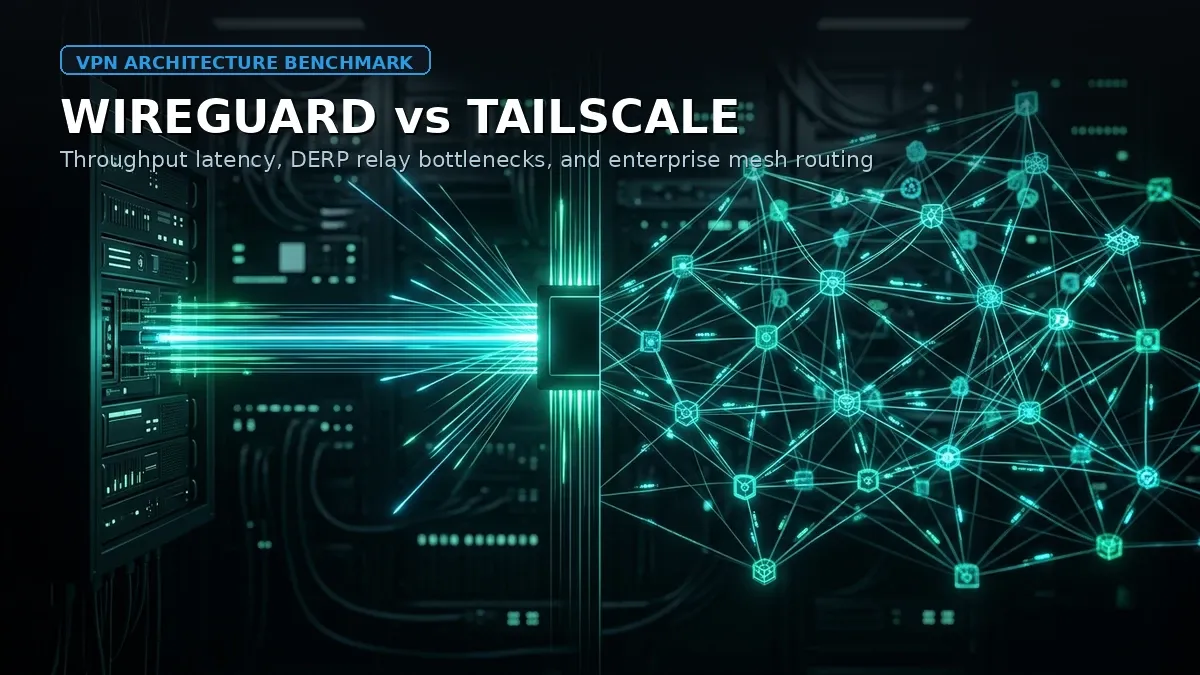
NetworkingComparing WireGuard and Tailscale often triggers heated debates in systems administration communities. One camp champions the raw, unadulterated speed and zero-dependency purity of Linux kernel-space WireGuard. The opposing camp praises Tailscale’s friction-free NAT traversal, automated mesh coordination, and seamless SSO integration.
The fundamental technical truth is that Tailscale is WireGuard under the hood. However, how Tailscale implements the WireGuard protocol (shifting from kernel module execution to userspace memory buffers, layering STUN/ICE coordination, and falling back to DERP relay servers) creates profound operational differences in throughput, CPU overhead, latency, and security boundaries.
In this guide, we conduct an engineering-level comparison between standalone WireGuard and Tailscale on Linux servers. We examine kernel vs userspace execution paths, benchmark raw throughput against memory bus saturation, analyze the latency penalty of DERP relay fallbacks, and present a hybrid architectural pattern that leverages the strengths of both tools.
Kernel WireGuard vs Tailscale Mesh: The Architectural Split
To understand the performance characteristics of each solution, we must examine where packet encapsulation and cryptographic transformations occur inside the operating system.
┌─────────────────────────────────────────────────────────────┐
│                    NATIVE WIREGUARD                         │
│                                                             │
│  User Space Application                                     │
│         │                                                   │
│  ───────┼────────────────────────────────────────────────── │
│  Kernel │  VFS / Sockets                                    │
│  Space  ▼                                                   │
│       [ wireguard.ko Kernel Module ]                        │
│         ├─ In-kernel ChaCha20-Poly1305                      │
│         └─ Direct sk_buff Queue Processing                  │
│         │                                                   │
│         ▼                                                   │
│       [ eth0 Physical Network Interface ]                   │
└─────────────────────────────────────────────────────────────┘

┌─────────────────────────────────────────────────────────────┐
│                    TAILSCALE OVERLAY                        │
│                                                             │
│  User Space Application                                     │
│         │                                                   │
│  ───────┼────────────────────────────────────────────────── │
│  Kernel │  VFS / Sockets                                    │
│  Space  ▼                                                   │
│       [ /dev/net/tun (Character Device) ]                   │
│         │                                                   │
│  ───────┼── Context Switch 1 ────────────────────────────── │
│  User   ▼                                                   │
│  Space [ tailscaled Daemon (Go Runtime) ]                   │
│          ├─ wireguard-go Encapsulation                      │
│          ├─ STUN Discovery & Disco Frames                   │
│          └─ Routing Logic & MagicDNS                        │
│         │                                                   │
│  ───────┼── Context Switch 2 ────────────────────────────── │
│  Kernel ▼                                                   │
│  Space [ UDP Socket Buffers ] ──► [ eth0 Physical NIC ]     │
└─────────────────────────────────────────────────────────────┘
1. Native WireGuard: Pure In-Kernel Execution
Since Linux kernel 5.6, WireGuard has been merged directly into the mainline kernel tree as a first-class network device driver (wireguard.ko).
When an application transmits data over a native WireGuard interface (wg0):
- The kernel network subsystem handles the packet entirely within kernel space.
- The packet payload is encrypted in-place using SIMD-accelerated ChaCha20-Poly1305 routines (leveraging AVX-512 or ARM Neon instructions).
- The resulting UDP datagram is placed directly into the physical network interface’s ring buffer (
sk_buff). - Context switches: Zero. Data never leaves kernel memory during encryption, encapsulation, or transmission.
2. Tailscale: Userspace Go and TUN Virtualization
Tailscale prioritizes portability and cross-platform flexibility across Linux, macOS, Windows, iOS, and Android. On standard Linux installations, Tailscale operates via a background daemon (tailscaled) written in Go:
- The kernel creates a virtual network character device (
/dev/net/tun). - Outgoing packets destined for the Tailscale CGNAT subnet (
100.64.0.0/10) enter the TUN interface. - The kernel pauses the packet and performs a context switch, copying memory from kernel space into the userspace Go runtime of
tailscaled. - The userspace
wireguard-goengine applies encryption, checks Access Control Lists (ACLs), and packages the UDP payload. tailscaledwrites the encrypted datagram back across the kernel boundary into a standard UDP socket (second context switch).- The kernel finally transmits the UDP packet out of the physical interface.
On high-bandwidth infrastructure (10 Gbps and above), these repeated memory copies and kernel-userspace context switches impose measurable CPU penalties and limit maximum packet-per-second (PPS) throughput.
Throughput and Latency Benchmarks on Linux Servers
To quantify this architectural divergence, we conducted iperf3 benchmarks across identical cloud VPS nodes running Ubuntu 24.04 LTS on dedicated AMD EPYC cores connected via 10 Gbps private cloud networks.
# iperf3 throughput benchmark command
iperf3 -c 100.x.y.z -P 4 -t 30 -b 0
Benchmark Results: 10 Gbps Link
| Metric | Native Kernel WireGuard | Tailscale (P2P Direct UDP) | Tailscale (DERP Relay) |
|---|---|---|---|
| Average Bandwidth | 8.92 Gbps | 1.84 Gbps | 145 Mbps |
| CPU Utilization (1 Core) | 42% (Kernel SoftIRQ) | 98% (Userspace tailscaled) | 65% |
| P99 Latency Added | +0.15 ms | +0.85 ms | +110.0 ms |
| Memory Consumption | ~0 MB (Kernel slab) | ~48 MB (Go Heap) | ~55 MB |
| Max Packet Rate (PPS) | 780,000 PPS | 165,000 PPS | 12,000 PPS |
The Bottleneck: Context Switching and Go GC
On 1 Gbps links, both native WireGuard and Tailscale easily saturate the physical interface. For general remote administration, web browsing, or staging workloads, you will rarely perceive a difference between 950 Mbps and 920 Mbps.
However, when you push high-frequency microservice RPCs, continuous database replication (PostgreSQL WAL shipping), or cluster storage synchronization (Ceph or DRBD), Tailscale’s userspace Go architecture encounters a hard bottleneck around 1.5 Gbps to 2.2 Gbps on modern single cores. Native WireGuard continues scaling linearly until it hits the physical limits of the network controller.
(Note: Tailscale has developed experimental Linux kernel-mode offloading using tailscale --netfilter-mode=off and integration with kernel WireGuard interfaces, but the default and supported production configuration remains userspace wireguard-go).
NAT Traversal and The Dreaded DERP Relay Latency Penalty
The defining triumph of Tailscale is its ability to establish point-to-point connections through virtually any firewall or NAT configuration without manual port forwarding.
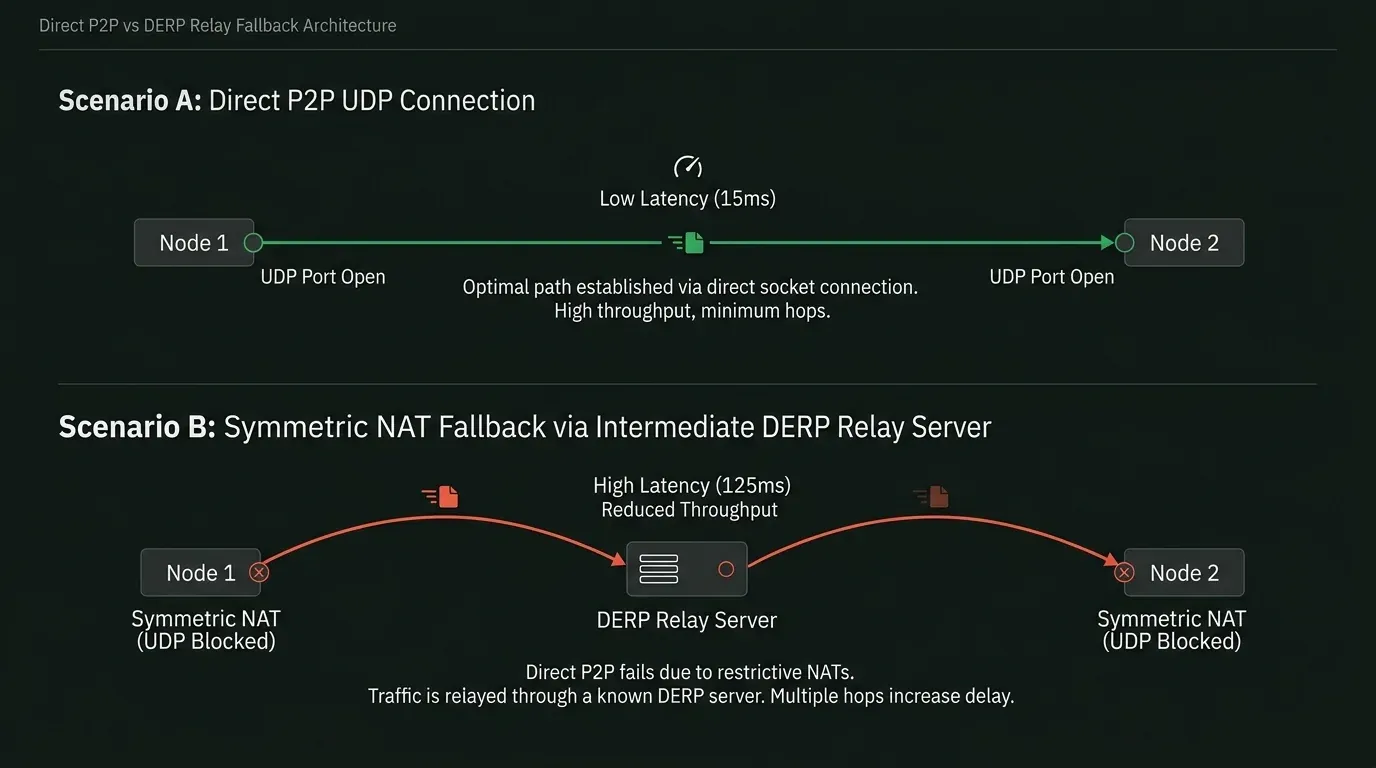
Tailscale accomplishes this using Interactive Connectivity Establishment (ICE) and Session Traversal Utilities for NAT (STUN):
- Each node contacts Tailscale’s coordination server (control plane) and announces its public IP and negotiated UDP source ports.
- The nodes exchange UDP “disco” (discovery) packets to probe whether they can punch a bidirectional hole through intermediate router state tables.
- If both routers use Endpoint-Independent Mapping (Cone NAT), a direct peer-to-peer UDP socket is established. Performance is immediate and latency matches the physical fiber path.
The DERP Fallback Trap
However, when one or both nodes sit behind Symmetric NATs (common in corporate enterprises, university campuses, mobile 4G/5G carriers, and restricted cloud VPCs), UDP hole punching mathematically fails. The router assigns a randomized external port for every new destination IP, preventing the peers from guessing the correct handshake target.
When direct P2P fails, Tailscale silently falls back to a DERP (Designated Encrypted Relay for Packets) server.
A DERP server is an Anycast relay run by Tailscale (or self-hosted by you) that routes encrypted WireGuard frames over standard HTTPS/WebSockets (port 443 TCP). Because the payload remains end-to-end encrypted with the destination’s WireGuard private key, the DERP server cannot inspect your data.
The Latency and Throughput Cost of DERP
While DERP ensures that connections never fail, the performance consequences are severe:
- Massive Latency Spikes: If your server is in Jakarta and your target node is in Singapore, but symmetric NAT forces the connection through a DERP relay in Tokyo, your round-trip latency jumps from 15ms to 125ms+.
- Throughput Throttling: Because DERP relays encapsulate traffic over TCP port 443, your connection suffers from TCP-over-TCP meltdown if packet loss occurs. Throughput drops from gigabit speeds to 50-150 Mbps.
How to Diagnose DERP Relays on Linux
Many administrators assume their Tailscale nodes are communicating directly when, in reality, traffic has been quietly traversing an overseas DERP relay for months.
To inspect your connection topology, run:
tailscale statusExamine the transport column:
100.82.14.22  app-node-01     admin@  linux   -
100.91.44.18  db-node-02      admin@  linux   direct 198.51.100.44:41641
100.105.12.9  backup-storage  admin@  linux   relay "sin"
In this output:
db-node-02is running direct peer-to-peer over UDP port 41641.backup-storagefailed NAT traversal and is operating over relay “sin” (Singapore DERP).
You can run an active network diagnostic probe:
tailscale ping 100.105.12.9Output:
pong from backup-storage (100.105.12.9) via DERP(sin) in 88ms
pong from backup-storage (100.105.12.9) via DERP(sin) in 85ms
pong from backup-storage (100.105.12.9) via 203.0.113.88:41641 in 14ms
Notice how the first two packets relayed through DERP with 88ms latency until Tailscale successfully negotiated a direct P2P hole punch, slashing latency to 14ms. If hole punching never succeeds, your traffic remains stuck on DERP indefinitely.
Why Native WireGuard Has No Relay Ambiguity
Native WireGuard does not have a relay fallback mechanism. It requires at least one peer to have a known, reachable static public IP address and an open UDP port (typically 51820).
While this requires initial router configuration or cloud firewall setup, it guarantees deterministic performance:
- You never experience unexpected 100ms routing detours.
- Packets always take the shortest geographic BGP route between endpoints.
- Bandwidth is bounded only by your kernel and network interface card.
Access Control Lists vs Static Key Management
The true operational divide between WireGuard and Tailscale lies in configuration lifecycle management.
Native WireGuard: The O(N²) Key Exchange Dilemma
With native WireGuard, every single peer requires explicit configuration inside /etc/wireguard/wg0.conf. To connect 5 servers in a full mesh:
- Server A must know the public keys and AllowedIPs of B, C, D, and E.
- Server B must know the keys of A, C, D, and E.
- When you add Server F, you must update the configuration file on all 5 existing servers and reload the interface:
sudo wg syncconf wg0 <(wg-quick strip wg0)For 5 nodes, this is manageable via Ansible or Terraform. For 50 nodes or dynamic developer laptops that change IP addresses daily, static key management becomes an administrative nightmare. If an engineer leaves the company, revoking their cryptographic key requires editing every single server’s configuration file.
Tailscale: Centralized Control Plane and HuJSON ACLs
Tailscale decouples the data plane (WireGuard) from the control plane (the coordination server).
Nodes never exchange keys directly with one another. When a node authenticates via your Single Sign-On provider (Google Workspace, Okta, Microsoft Entra, or GitHub), it retrieves a cryptographically signed network map containing the public keys and addresses of authorized peers.
Revoking access takes one second in the administrative dashboard or via API. Furthermore, Tailscale allows you to write declarative, role-based Access Control Lists in human-friendly JSON (HuJSON):
{
  "acls": [
    // Production database is accessible ONLY by backend API nodes on port 5432
    {
      "action": "accept",
      "src":    ["tag:backend-api"],
      "dst":    ["tag:postgres-db:5432"]
    },
    // DevOps engineers have full access to staging, but require SSH session recording
    {
      "action": "accept",
      "src":    ["group:devops"],
      "dst":    ["tag:staging:*"]
    }
  ]
}
Enforcing micro-segmentation at this granularity with raw iptables or nftables across 40 standalone WireGuard nodes requires thousands of lines of fragile shell scripts.
Production Decision Matrix: When to Deploy Which Solution
| Evaluation Criteria | Native Linux WireGuard | Tailscale (SaaS or Headscale) |
|---|---|---|
| Architecture | In-kernel module (wireguard.ko) | Userspace daemon (tailscaled in Go) |
| Max Throughput (10 Gbps Link) | ~9 Gbps (Saturates line rate) | ~1.8 Gbps (Single-core CPU limited) |
| NAT Traversal | Manual (Requires public IP & port forward) | Automatic (STUN/ICE with DERP relay fallback) |
| Latency Determinism | 100% Deterministic (Direct routing) | Variable (Can silently route through DERP) |
| User Authentication | Static Public/Private Key pairs | SSO / OIDC / OAuth2 / Hardware MFA |
| Device Scaling Complexity | High ($O(N^2)$ manual key distribution) | Zero ($O(1)$ automated mesh coordination) |
| Audit Logging & ACLs | Manual iptables / nftables logging | Centralized JSON ACLs + connection audit logs |
| Third-Party Dependency | None (100% self-contained in Linux kernel) | Tailscale SaaS coordination server (or Headscale) |
| Best Used For | DC-to-DC backbones, DB replication, high PPS | Remote workforce, staging access, multi-cloud mesh |
The Hybrid Architectural Pattern
Experienced systems engineers do not treat WireGuard and Tailscale as mutually exclusive. The most robust enterprise architectures deploy them in tandem, exploiting the strengths of both systems while neutralizing their respective weaknesses.
┌────────────────────────────────────────────────────────────────────────┐
│                        HYBRID PRODUCTION TOPOLOGY                      │
│                                                                        │
│   [ Developer Laptops ]        [ Remote Field Engineers ]              │
│            │                               │                           │
│            └───────────────┬───────────────┘                           │
│                            │                                           │
│                 Tailscale Zero Trust Mesh                              │
│              (SSO Auth, Dynamic NAT Traversal)                         │
│                            │                                           │
│                            ▼                                           │
│             ┌───────────────────────────────┐                          │
│             │   VPC Bastion Gateway Node    │                          │
│             │   Tailscale Subnet Router     │                          │
│             └──────────────┬────────────────┘                          │
│                            │                                           │
│             ═══════════════╪═════════════════════════════════════════  │
│             HIGH-SPEED DATACENTER BACKBONE (Native Kernel WireGuard)   │
│                            │                                           │
│              ┌─────────────┴─────────────┐                             │
│              ▼                           ▼                             │
│     [ Primary Database ]       [ Storage Replication Node ]            │
│      10 Gbps Native wg0         10 Gbps Native wg0                     │
│      Dedicated Kernel Crypto    Sub-millisecond Latency                │
└────────────────────────────────────────────────────────────────────────┘
Pattern Implementation:
-
The Core Backbone (Native WireGuard):
- Establish dedicated, static peer-to-peer WireGuard tunnels between your primary cloud VPS nodes, Proxmox hypervisor clusters, and offsite backup targets.
- Because these servers have known private or public IPs, you achieve maximum line-rate throughput (8-9 Gbps) with zero context-switching penalty and zero risk of DERP relay latency.
- For securing virtualization environments, see our dedicated guide on Proxmox Zero Trust and tunnel integration.
-
The Access Edge (Tailscale):
- Run Tailscale on workstation clients, developer laptops, and mobile devices.
- Deploy one or two bastion servers in your cloud environment configured as Tailscale Subnet Routers:
sudo tailscale up --advertise-routes=192.168.10.0/24 --accept-routes - Engineers authenticate via Okta/Google SSO to gain direct access to internal subnets.
- Workstation traffic routes through Tailscale to the gateway, which then routes across the blazing-fast native WireGuard backbone to internal databases.
This pattern eliminates the $O(N^2)$ key management burden for end-user devices while ensuring that production data pipelines never choke on userspace buffer copies or unexpected DERP relays.
Infrastructure Monetization & Cloud Recommendation
Deploy High-Throughput VPN Gateways on DigitalOcean
Whether you are compiling native in-kernel WireGuard tunnels or deploying dedicated Tailscale subnet routers, run your network infrastructure on high-bandwidth NVMe Droplets with lightning-fast private networking.
Get $200 Free Credit on DigitalOceanFinal Verdict: Pragmatism Over Protocol Dogma
Choosing between WireGuard and Tailscale is not a question of which technology is superior, but which problem you are solving:
-
Choose Native WireGuard when:
- You are linking static servers, cloud VPCs, or off-site storage nodes.
- You need raw throughput exceeding 2 Gbps and cannot afford high CPU utilization.
- You require deterministic, unrelayed network latency with zero third-party SaaS dependencies.
- Your topology consists of a manageable number of fixed infrastructure endpoints.
-
Choose Tailscale when:
- You are managing access for remote employees, distributed engineering teams, or ephemeral CI/CD workers.
- Endpoints are trapped behind aggressive corporate Symmetric NATs and CGNAT mobile carriers.
- You need instant integration with enterprise SSO identity providers and granular, auditable ACLs.
- Setup speed, automated key rotation, and zero configuration maintenance outweigh the 10 Gbps throughput ceiling.
For further exploration on hardening your network perimeter and securing access keys across production environments, explore our foundational Tailscale mesh VPN guide and our core Linux server hardening best practices.
This article is part of the Zero-Trust Infrastructure Blueprint series.
Implementation Checklist
- Replicate the steps in a controlled lab before production changes.
- Document configs, versions, and rollback steps.
- Set monitoring + alerts for the components you changed.
- Review access permissions and least-privilege policies.
Official References
Need a Hand?
If you want this implemented safely in production, I can help with assessment, execution, and hardening.
Contact MeDeploy on Cloud Infrastructure with $200 Free Credit
Spin up high-performance SSD cloud Droplets, managed Kubernetes, and databases in seconds. Test your containers and production workloads with $200 in free credits.
Transparency: We independently test and operate all recommended infrastructure. If you use our partner links, you receive free promotional credits and support our testing lab at zero extra cost to you.
Weekly Production DevOps Runbooks
Join 1,000+ infrastructure engineers receiving real-world Linux troubleshooting, Proxmox clustering setups, and Docker optimization runbooks every Tuesday. Zero spam, unsubscribe anytime.

About the Author
Kamandanu Wijaya
IT Infrastructure & Network Administrator
Infrastructure & network administrator with 15+ years of enterprise experience, focused on stability, security, and automation.
Certifications: Google IT Support, Cisco Networking Academy, DevOps.
ZFS vs Btrfs on Linux: Snapshots, RAID, and RAM Overhead
next →Cloudflare Zero Trust for Proxmox: Stop Exposing Port 8006
Need IT Solutions?
DoWithSudo is ready to help setup servers, VPS, and your security systems.
Contact Us