Docker vs Kubernetes: Which One Do You Actually Need?
[ info ] // Meta
Category
DevOpsI sat across from a client whose entire production was three containers on one server. They wanted Kubernetes. They had read a few articles, and the word “orchestration” had taken root. When I asked what problem they were trying to solve, the answer was that everybody said Kubernetes was the future.
I have watched that conversation repeat itself a dozen times. It usually ends one of two ways. The team adopts Kubernetes anyway and burns two months on a learning curve while the original three containers keep running fine on the old server. Or somebody asks the honest question first and realizes that Docker Compose already solved the problem.
This article is that honest comparison. No hype, no vendor pressure. What Docker and Kubernetes each actually do, where the real line between them sits, and the concrete criteria I use before I recommend either one to a client.
If you are still building your container foundation, my Docker complete guide walks through images, volumes, networking, and production habits first. This article assumes you can run containers and asks the next question, when do you stop running them by hand?
The honest difference in one sentence
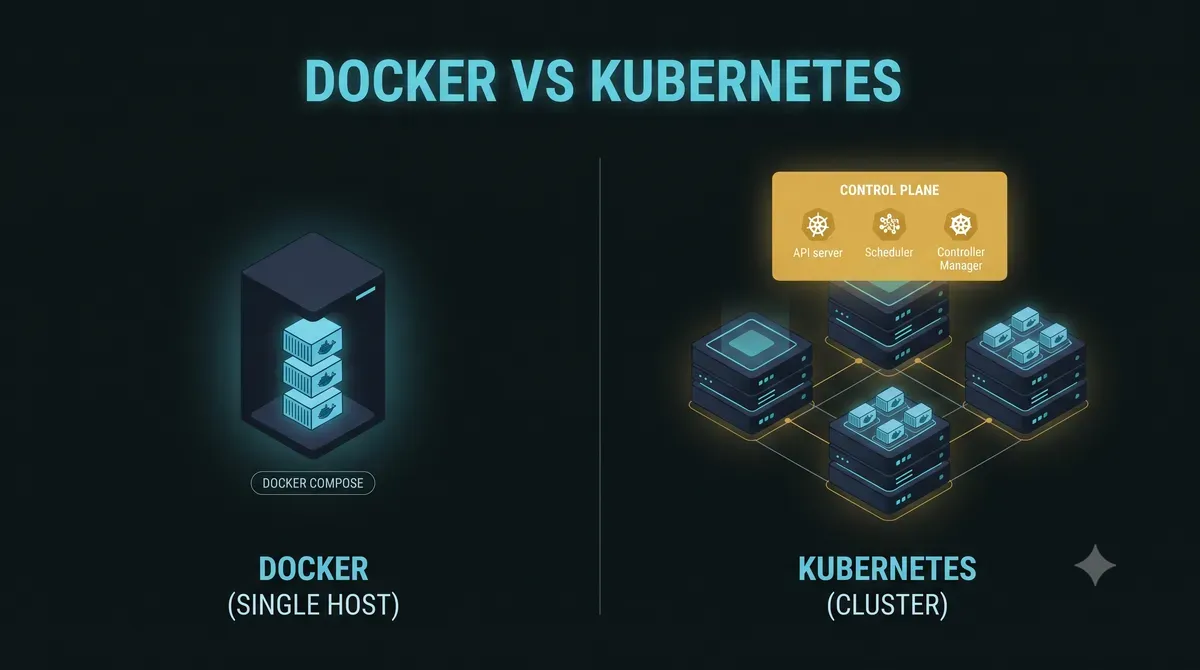
Docker runs containers on one host. Kubernetes schedules containers across many hosts and layers networking, storage, and self-healing on top. That single sentence carries the whole decision.
Everything else is refinement of that sentence. Docker is packaging and local orchestration. Compose adds multi-service definitions for one machine. Kubernetes is a distributed operating system for containers, designed for fleets, not for a single box.
The mental model that sticks with me is a team analogy. Docker Compose is the team lead who knows exactly who is working on what today. Kubernetes is an operations department with a scheduler, an HR system, and a redundancy policy for every role. If your whole team fits in one room, the department is overhead.
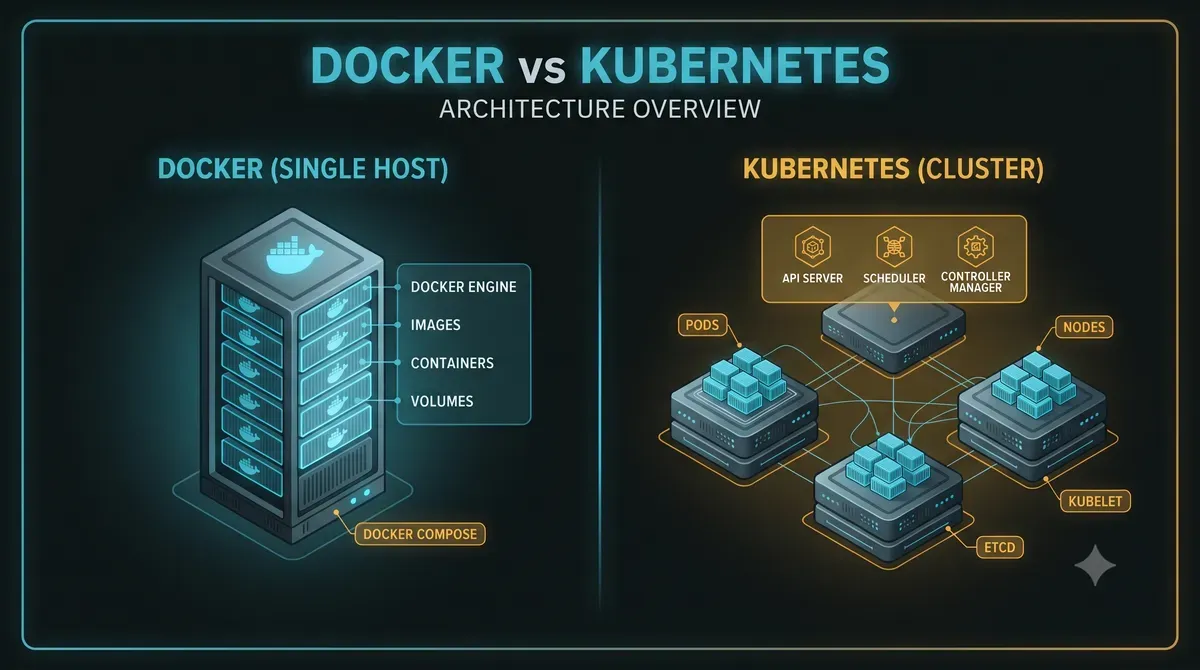
Docker vs Kubernetes: a comparison table
| Aspect | Docker (single host) | Kubernetes (multi-host) |
|---|---|---|
| Scope | Runs containers on one host | Schedules containers across many hosts |
| Config | docker-compose.yml | YAML manifests plus kubectl |
| Networking | Bridge networks, port mapping | Service discovery, ingress, load balancers |
| Scaling | Manual, one host at a time | Autoscaling across nodes |
| Self-healing | Restart policy on one host | Reschedules failed pods anywhere in the cluster |
| Storage | Named volumes, bind mounts | Persistent volumes with storage classes |
| Failure domain | The host | Nodes and control plane |
| Learning curve | Days | Months |
| Operating cost | One server to babysit | A cluster to babysit, or a managed bill |
The table is not a scorecard. It is a map of what you are signing up for. Every row on the Kubernetes side is power, and every row is also a thing that can break in a new way.
When Docker Compose is enough
Most deployments never leave a single server, and that is not a failure. It is the correct answer for a huge range of businesses.
Compose is enough when:
- Everything fits on one host. A web app, an API, a database, a cache, a cron job. That is a perfectly healthy architecture.
- You can count your services on two hands. Once services number in the dozens and start spanning teams, the story changes.
- A restart policy covers your failure needs. If the host dies, everything dies anyway. Kubernetes does not save you from a dead single node without a second node, and then you are paying for two.
- You do not need true zero-downtime rolling deploys. A few seconds of downtime during a controlled update is acceptable.
- Nobody on the team wants to become a platform engineer. Kubernetes does not ask permission before it takes over someone’s evenings.
I run production stacks this way today. A booking system, a monitoring stack, an internal tool, all on one host each, all with docker compose up -d. If you are learning the basics, my Docker first-steps guide gets you to the point where Compose feels boring, and boring is the right place to be.
When Kubernetes earns its complexity
Kubernetes stops being theater when the workload genuinely outgrows a single host. The triggers I look for are concrete, not vibes.
- Multiple hosts with the same services. Two servers running the same stack means you already have a fleet, whether you admit it or not.
- Autoscaling is a business requirement. Traffic that doubles on a holiday should add replicas without a human waking up.
- Self-healing matters. A failed node should not mean a phone call. Kubernetes reschedules the pods and moves on.
- Rolling deploys with zero downtime. Updates across nodes, one batch at a time, with automatic rollback on failed health checks.
- Multiple teams share the same infrastructure. Namespaces, quotas, and RBAC turn chaos into something governable.
Managed Kubernetes changes the calculus. EKS, GKE, or AKS mean you do not operate the control plane, and the cluster joins the cloud bill instead of the server room. For a company already on a cloud platform with several services, managed Kubernetes is often cheaper than a team of manually maintained servers.
Self-hosted Kubernetes is a different animal. k3s and kubeadm keep the software free, but the operating burden is real. Patching nodes, managing upgrades, securing the control plane, that work belongs to somebody, and that somebody needs to know what they are doing.
The migration trap I keep seeing
The client with three containers did not believe me at first, so we tried it their way. We stood up a small k3s cluster, converted the Compose file into three deployments, added an ingress controller, and wired in a metrics stack.
Six weeks later the application behaved exactly as it had on the single server. It served the same traffic, with the same latency, plus two new failure modes. The cluster itself could now go wrong in ways the old server never could. We had added complexity and bought nothing, because the workload had never asked for it.
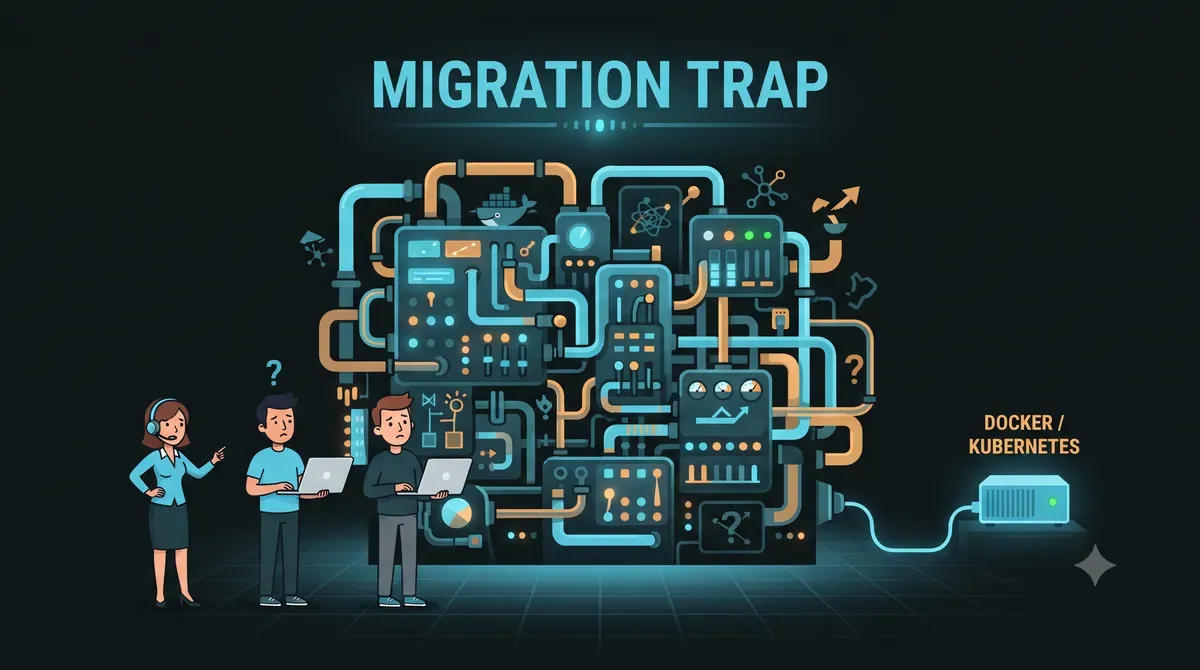
I am not anti-Kubernetes. I run clusters for workloads that need them. But I have also seen what a premature migration does to a small team. Every new concept, pods, services, ingress, PersistentVolumeClaims, operators, becomes a debugging session. When something breaks at 2 AM, the Docker container crash case study shows how much effort a single container failure already takes, and Kubernetes multiplies every layer of that story.
The uncomfortable truth is that Kubernetes often gets adopted for the resume, not for the workload. That is a terrible reason to take on an operations department.
A practical way to decide
I walk every client through the same short checklist. It takes five minutes and it has never pointed anyone the wrong way.
- Count your hosts. One host for the whole stack means Compose. More than three hosts running the same services means Kubernetes is worth a real look. Two hosts is a judgment call that usually lands on Compose.
- Count your services. Under ten services, the operational overhead of a cluster rarely pays for itself.
- Ask who operates it at 3 AM. If the answer is “the same person who built it,” keep the stack boring.
- Ask about autoscaling out loud. Not “someday we might,” but “we lose money if traffic spikes and we cannot react.” Only a real requirement justifies the real cost.
- Price the operating cost. Managed cluster per month, or one extra engineer’s hours. Compare that with what the migration actually buys.
The rule of thumb I give everyone is simple. If you can run it with docker compose up -d and sleep through the night, you do not need Kubernetes. When that command stops being enough, when hosts multiply and traffic demands it, Kubernetes will still be there waiting.
Frequently asked questions
Is Kubernetes harder than Docker? Yes, by an order of magnitude. Docker is a tool you learn in days. Kubernetes is a platform that teams spend months on and then argue about tuning for years. Difficulty alone is not a reason to avoid it, but it is a reason to be honest about the requirement.
Do I need Kubernetes to learn containers? No. The container fundamentals, images, volumes, networking, healthchecks, all live in Docker. Kubernetes builds on those ideas, it does not replace them. Master Compose first and the cluster concepts become far easier to absorb later.
Can I run Kubernetes on one server? Technically yes, k3s will run on a single node, and it is a great way to learn. Practically it defeats the purpose. The value of Kubernetes is spreading work across hosts, and a single-node cluster gives you the complexity without the payoff.
Is Kubernetes free? The software is open source. The bill is operational. Nodes, backups, monitoring, upgrades, and the human time to run them are where the money goes. Managed offerings move that bill into the cloud invoice, they do not make it disappear.
Final words
The best orchestration is the one you can actually operate. I have run single-server Compose stacks for clients that made more money than some companies’ entire clusters, and I have run clusters that justified every line of their complexity. Both were correct, because the decision followed the workload instead of the hype.
Start with Docker, get good at Compose, and let Kubernetes earn its way into your architecture. When it does, and only then, the migration will feel like a promotion instead of a punishment.
If you want the full path from your first container to production hardening, start with the Docker complete guide, and the day Compose stops being enough is the day this conversation becomes relevant again.
I hope this comparison helps you choose the right tool for your real workload, not the one the internet told you to want.
Implementation Checklist
- Replicate the steps in a controlled lab before production changes.
- Document configs, versions, and rollback steps.
- Set monitoring + alerts for the components you changed.
- Review access permissions and least-privilege policies.
Official References
Need a Hand?
If you want this implemented safely in production, I can help with assessment, execution, and hardening.
Contact MeDeploy on Cloud Infrastructure with $200 Free Credit
Spin up high-performance SSD cloud Droplets, managed Kubernetes, and databases in seconds. Test your containers and production workloads with $200 in free credits.
Transparency: We independently test and operate all recommended infrastructure. If you use our partner links, you receive free promotional credits and support our testing lab at zero extra cost to you.
Weekly Production DevOps Runbooks
Join 1,000+ infrastructure engineers receiving real-world Linux troubleshooting, Proxmox clustering setups, and Docker optimization runbooks every Tuesday. Zero spam, unsubscribe anytime.

About the Author
Kamandanu Wijaya
IT Infrastructure & Network Administrator
Infrastructure & network administrator with 15+ years of enterprise experience, focused on stability, security, and automation.
Certifications: Google IT Support, Cisco Networking Academy, DevOps.
How Long Does It Take to Learn Docker? A Realistic Timeline
next →Build Minimal Docker Images: Scratch and Distroless Guide
Need IT Solutions?
DoWithSudo is ready to help setup servers, VPS, and your security systems.
Contact Us