Learning Terraform from Scratch, A Friendly Guide for Sysadmins & Devs
Ever felt exhausted configuring servers one by one? SSH login, install updates, setup Nginx, configure the firewall. and then doing it all over again for the next server. It’s manageable if you have one or two, but ten? Fifty? That’s a recipe for burnout (and carpal tunnel).
In this article, we cover Terraform basics in a practical way so you can apply it with confidence.
I’ve been there. Back in the day, I thought, “Bash scripts are enough!”. But as the infrastructure grew more complex, my scripts turned into spaghetti monsters that were impossible to maintain and error prone.
Enter Terraform. This tool will completely shift how you view infrastructure management. Whether you’re a Sysadmin, DevOps Engineer, or a Developer dabbling in the cloud, this is a must have skill in your arsenal.
Let’s break it down from zero, in plain English, with a clear technical focus.
What is Terraform, really?
Ideally, it’s a tool for Infrastructure as Code (IaC).
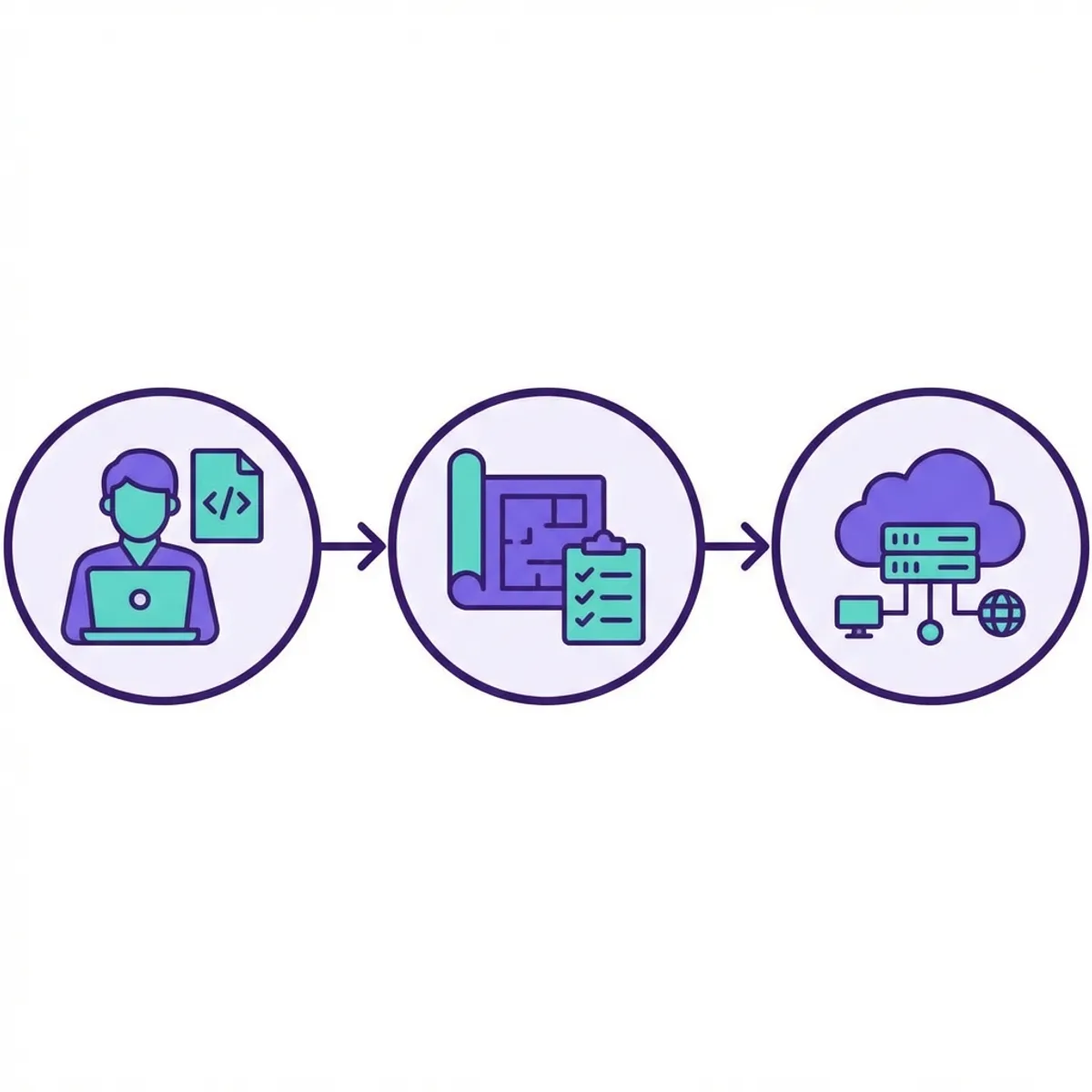
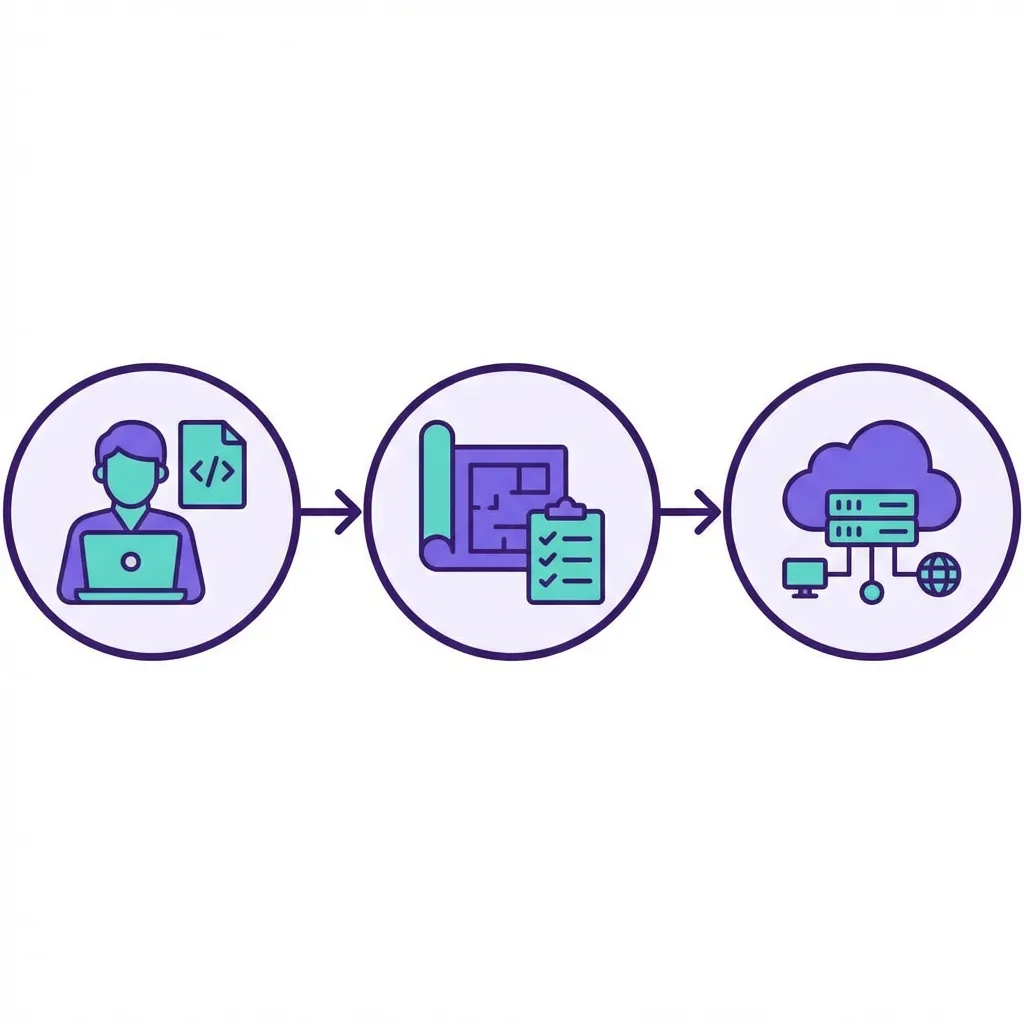
Imagine you’re an architect. Instead of building a skyscraper by manually stacking bricks on site (which is prone to human error), you create a highly detailed digital blueprint. You hand this blueprint to a team of advanced robots, and they build the structure EXACTLY as drawn. Whether you want to build 1 building or 100 identical ones, the result is consistent.
In the IT world, the “building” is your servers, databases, networks, and firewalls. Terraform is how you write the blueprint, and it also acts as the contractor communicating with Cloud Providers (AWS, GCP, Azure, etc.) to get the job done.
Why should you care?
- Anti-Amnesia: Ever changed a config in production manually and forgot to document it? Then 3 months later, everything breaks, and you have no idea why? With Terraform, your code IS the documentation.
- Consistency: Development, Staging, and Production environments can be kept 100% identical. No more “But it works on my machine!” drama.
- Agnostic: You can use Terraform for AWS, Google Cloud, Azure, Cloudflare, or even Docker locally. The language (HCL) stays the same, even if the resource definitions differ slightly.
Terraform code structure (hcl) you must know
You’ll see these blocks constantly:
provider: connects Terraform to a platform (AWS, GCP, Docker, etc.).resource: what you create (VMs, databases, buckets).data: fetches existing resources (e.g., existing VPC).variable: parameters to make code reusable.output: values to print after apply.
Quick example:
variable "region" {
  type    = string
  default = "ap-southeast-1"
}

provider "aws" {
  region = var.region
}

resource "aws_s3_bucket" "log" {
  bucket = "my-app-logs"
}

output "bucket_name" {
  value = aws_s3_bucket.log.id
}
Gear up: installing Terraform
Enough theory. Let’s get our hands dirty. Installing Terraform is a breeze.
For Linux users (Ubuntu/Debian), just run this:
sudo apt-get update && sudo apt-get install -y gnupg software-properties-common
wget -O- https://apt.releases.hashicorp.com/gpg | \
gpg --dearmor | \
sudo tee /usr/share/keyrings/hashicorp-archive-keyring.gpg

echo "deb [signed-by=/usr/share/keyrings/hashicorp-archive-keyring.gpg] \
https://apt.releases.hashicorp.com $(lsb_release -cs) main" | \
sudo tee /etc/apt/sources.list.d/hashicorp.list

sudo apt update
sudo apt-get install terraform
For Mac users (via Homebrew):
brew tap hashicorp/tap
brew install hashicorp/tap/terraform
Done. Verify the installation:
terraform -vIf it spits out a version number, you’re ready to rock.
Project one: infrastructure hello world
We learn by doing. We’re going to start by creating a simple text file locally. Why locally? So you don’t get a surprise bill from AWS while you’re still learning the ropes.
Create a new folder for your project:
mkdir learn-terraform
cd learn-terraform
Create a file named main.tf. The .tf extension tells the world this is a Terraform file.
# main.tf

resource "local_file" "love_letter" {
  filename = "${path.module}/message.txt"
  content  = "Hello, this is a love letter from Terraform! Infrastructure is fun."
}
Here, we are using the local provider, which is used to manage resources on your local machine (like files).
The holy trinity: init, plan, apply
There are 3 magic spells in Terraform you will use for the rest of your career:
Terraform init
This initializes your working directory. Terraform scans your config, sees which providers you need (in this case, local), and downloads the necessary plugins.
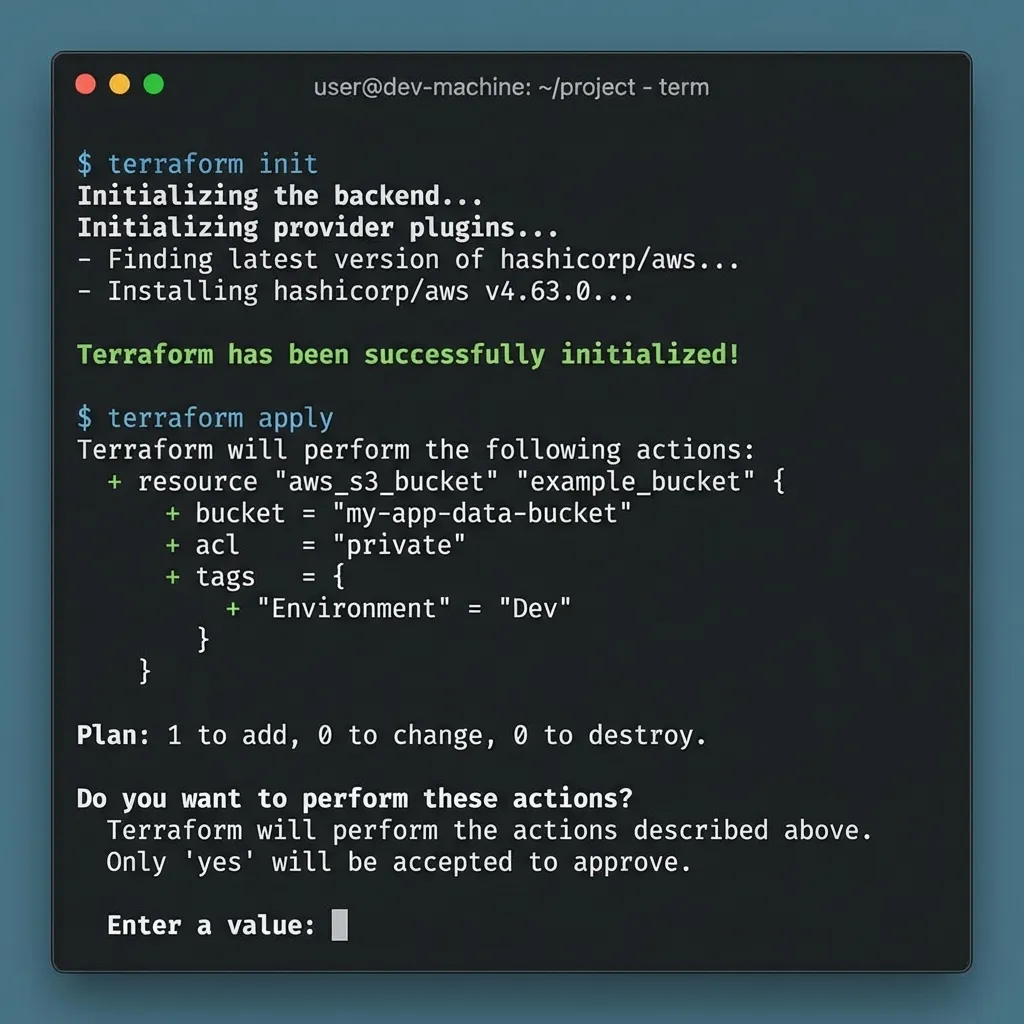
terraform initYou should see a fresh green message: Terraform has been successfully initialized!
Terraform plan
This is the most critical step to avoid disaster. This command tells Terraform to simulate the execution: “Hey, if I run this, what will happen?”. It DOES NOT change anything yet, it just reports the plan.
terraform planThe output will tell you it intends to create (+ resource “local_file” “love_letter”).
Terraform apply
If you’re happy with the plan, execute it!
terraform applyIt will ask one last time “Are you sure?”. Type yes and hit Enter.
Now check your folder:
ls -l
cat message.txt
Boom! The message.txt file exists with the exact content you defined. It’s not magic, it’s engineering.
State file: Terraform’s brain
Terraform stores the current “state” of your infrastructure in terraform.tfstate. This is how Terraform knows what it created and how everything is connected.
Key rules:
- Never edit state manually.
- Store state in a safe place (remote backend) for team use.
- Use locking so two people don’t apply at the same time.
Popular backends:
- S3 + DynamoDB (AWS)
- GCS (GCP)
- Terraform Cloud
Example backend (S3):
terraform {
  backend "s3" {
    bucket         = "tfstate-prod"
    key            = "network/terraform.tfstate"
    region         = "ap-southeast-1"
    dynamodb_table = "tfstate-lock"
  }
}
Drift detection: when reality deviates from code
Someone clicks around in the cloud console and changes things. Now your real infra doesn’t match your code.
Use:
terraform planto detect drift.terraform refresh(or modernplan) to sync state.
Principle: code is the source of truth. Avoid manual changes in the cloud.
Level up: a real world example (Docker)
Creating a file is easy. Now let’s try spinning up an Nginx Docker container. Make sure you have Docker installed and running first.
Update your main.tf to look like this:
terraform {
  required_providers {
    docker = {
      source  = "kreuzwerker/docker"
      version = "~> 3.0.1"
    }
  }
}

provider "docker" {}

resource "docker_image" "nginx" {
  name         = "nginx:latest"
  keep_locally = false
}

resource "docker_container" "nginx_server" {
  image = docker_image.nginx.image_id
  name  = "my_web_server"

  ports {
    internal = 80
    external = 8080
  }
}
Run the spells again:
terraform init(since we added a new provider: docker)terraform apply
Wait a few seconds, then open your browser at localhost:8080.
If you see Welcome to nginx!, congratulations! You just deployed web infrastructure using code. How cool is that?
When you’re done experimenting, you can tear everything down with one clean command:
terraform destroyAll resources created by Terraform will be deleted. Clean, tidy, and no leftover config junk.
Modules and reusability
As infra grows, you need reusable code. That’s what modules are for.
Simple structure:
modules/vpcmodules/ecsmodules/rds
Benefits:
- consistency across environments.
- cleaner structure.
- controlled changes.
Dependencies and lifecycle
Terraform calculates dependencies automatically, but sometimes you must be explicit:
depends_on: force order of execution.lifecycle: control resource behavior.
Example:
resource "aws_instance" "app" {
  ami           = "ami-xxxx"
  instance_type = "t3.micro"

  lifecycle {
    prevent_destroy = true
  }
}
prevent_destroy is great for critical resources like databases.
Environments: workspaces and variable files
To separate dev/staging/prod:
terraform workspaceterraform.tfvarsfiles
Example:
terraform workspace new staging
terraform apply -var-file=staging.tfvars
Don’t hardcode environment values in your code. Parameterize them.
Production safety habits
- Run
terraform fmtandterraform validatebefore commit. - Store secrets in Vault/SSM/Secrets Manager, not in
.tf. - Review
planin CI beforeapply.
Beginner mistakes to avoid
I learned these the hard way, so you don’t have to:
- Skipping
terraform plan: Never go straight toapply. Always check theplanfirst. Sometimes Terraform intends to destroy your production database because of a tiny config change, andplanis your only warning. - Losing the State File (
terraform.tfstate): When resources are created, Terraform saves the “state” of your infrastructure in a.tfstatefile. Guard this file with your life! If you lose it, Terraform loses track of what it built. - Hardcoding Credentials: NEVER put Access Keys or passwords in your
.tffiles. Use environment variables or variable files that are ignored by Git. - No Remote Backend: For teams, local state is a risky single point of failure.
- Monolithic Code: Everything in one file becomes unmaintainable. Use modules and structure.
Closing thoughts
Learning Terraform is a lot like learning to ride a bike. It feels wobbly at first, with all the new jargon like state, provider, and modules. But once you get the hang of it, you’ll feel like you have superpowers. You’ll be building enterprise-grade infrastructure while sipping your morning coffee.
My advice: After this, try signing up for a free cloud account (like AWS Free Tier). Try launching a single EC2 instance using Terraform. Feel the difference compared to manual clicking in the console.
Terraform works great alongside other DevOps tools. For containerization, learn Docker from scratch. For automating server configurations after provisioning, combine it with Ansible automation.
Happy infrastructure coding! If you hit a wall, don’t panic. Read the logs, read the documentation, and iterate in small steps.
I hope this guide on Terraform basics helps you make better decisions in real-world situations.
Implementation Checklist
- Replicate the steps in a controlled lab before production changes.
- Document configs, versions, and rollback steps.
- Set monitoring + alerts for the components you changed.
- Review access permissions and least-privilege policies.
Official References
Need a Hand?
If you want this implemented safely in production, I can help with assessment, execution, and hardening.
Contact Me
About the Author
Kamandanu Wijaya
IT Infrastructure & Network Administrator
Infrastructure & network administrator with 14+ years of enterprise experience, focused on stability, security, and automation.
Certifications: Google IT Support, Cisco Networking Academy, DevOps.
View ProfileNeed IT Solutions?
DoWithSudo team is ready to help setup servers, VPS, and your security systems.
Contact Us